The LaView camera App — watch your cameras from anywhere
Set up your LaView Wi-Fi camera in minutes and keep an eye on home from your phone. Live view, motion alerts, playback and secure family sharing — all in one free app.

Trusted by hundreds of thousands of households
4.7★
App Store rating (21,900+ ratings)
500K+
Downloads on Google Play
65
Supported languages
Free
No subscription required to view
Why the LaView camera App
Everything you need to monitor home, in one app
The LaView camera app turns your phone into a security control center for every LaView Wi-Fi camera you own.
Remote live view
Open the LaView camera app and see a real-time HD feed from anywhere in the world over Wi-Fi or cellular.
Motion & sound alerts
Get instant push notifications with smart detection for people, pets, packages and vehicles.
Playback & timeline
Scroll the timeline to replay recorded events from microSD or your cloud plan in seconds.
One-tap family sharing
Share any camera with family members so everyone can check in, without sharing your password.
Local & cloud storage
Record continuously to a microSD card for free, or add an optional cloud plan with 14-day history.
Quick guided setup
Add a camera by tapping the + icon and following the in-app wizard — most cameras pair in under five minutes.
How it works
Designed around the way you actually check on home
Live monitoring that loads fast
Tap a camera to get a sharp, low-latency live stream with pan, tilt and two-way talk on supported devices. Pinch to zoom and switch between cameras in a single multi-view grid.

Smart alerts that matter
The LaView camera app filters routine movement and notifies you about people, pets, packages and vehicles, so your phone only buzzes when something is worth a look.

Your footage, your choice
Keep recordings on a local microSD card at no cost, or subscribe to an optional cloud plan for 14-day encrypted history and event clips you can download and share.
Inside the app
A clean, fast interface built for everyday use
Real screens from the LaView camera app on iPhone.
Live HD view
Event timeline
Smart detection

Device settings
Get started
Set up your LaView camera in 4 steps
No tools, no wiring expertise — the LaView camera app walks you through it.
Download the app
Install the free LaView camera app from the App Store or Google Play.
Create your account
Register with a valid email, accept the privacy policy and verify the code to log in.
Add your device
Tap the + icon, pick your device type and keep the camera on the same Wi-Fi network.
Scan & connect
Follow the guided pairing (QR or AP mode) and your camera is live in minutes.
Works with your devices
Compatible across phones, tablets and voice assistants
The LaView camera app is available everywhere you need it.
iPhone, iPad & Apple Watch
Requires iOS / iPadOS 13.0 or later; glance at a live feed from your wrist.
Android phones & tablets
Install from Google Play; works on phones and tablets with 500K+ downloads.
View on a bigger screen
Prefer the LaView camera app for PC experience? Mirror or stream to a larger display.
Alexa & Google Assistant
Ask Alexa or Google to show a supported camera on Echo Show or a Google display.
Some legacy LaView DVR/NVR systems use the separate LaView Connect app instead of the main LaView camera app.
Help & guides
Guides for the LaView camera App
Step-by-step answers to the most common LaView camera questions.
What LaView camera App users say
Real reviews from the App Store, rated 4 stars and above.
“For the price, these are above and beyond what I thought they should be. The view is great, and being able to pan the cameras up and down is a huge plus.”

Kay Katt
App Store review
“The layout is intuitive and easy to use. Live view comes up fast and I haven't had any connection issues. You can even schedule local recording and motion alerts.”

Marcus D.
App Store review
“One of the best products on the market for price and service. You don't need a subscription to view, save, and watch footage live, and the cameras are extremely easy to set up.”

James R.
App Store review
“I absolutely love these! When I'm not home I just open the app and check on my dogs. Being able to speak through the cameras is another feature I really enjoy.”

Ryan W.
App Store review
“The images, recording, and app are SO easy to use and adjust. My husband, who is completely non tech-savvy, found it extremely easy to open the camera and check in.”

Susan Z.
App Store review
“You will not regret buying these cameras. Whether you live alone or with family, it's reassuring to have another eye around your home and the app makes it simple.”

Anthony C.
App Store review
“For the price, these are above and beyond what I thought they should be. The view is great, and being able to pan the cameras up and down is a huge plus.”
Kay Katt
App Store review
“The layout is intuitive and easy to use. Live view comes up fast and I haven't had any connection issues. You can even schedule local recording and motion alerts.”
Marcus D.
App Store review
“One of the best products on the market for price and service. You don't need a subscription to view, save, and watch footage live, and the cameras are extremely easy to set up.”
James R.
App Store review
“I absolutely love these! When I'm not home I just open the app and check on my dogs. Being able to speak through the cameras is another feature I really enjoy.”
Ryan W.
App Store review
“The images, recording, and app are SO easy to use and adjust. My husband, who is completely non tech-savvy, found it extremely easy to open the camera and check in.”
Susan Z.
App Store review
“You will not regret buying these cameras. Whether you live alone or with family, it's reassuring to have another eye around your home and the app makes it simple.”
Anthony C.
App Store review
“I can't believe how simple setup was! I tend to be challenged with techy stuff, but even I at 74 figured these out. We liked them so much we got our sons and neighbors some too.”

Robert P.
App Store review
“This is my first LaView product, the light bulb camera. I'm really impressed with the ease of setup, the image quality, and the functionality at a low price. Just screw it in, no wires.”

Gordon Trahan
App Store review
“If you need a good, reasonable camera these work really well. I bought four for an 1800 sq ft home and they have been great, and customer service did well when I had a question.”

Daniel M.
App Store review
“I am so pleased with this camera. It was easy to install, the clarity picks up everything within its range, and footage is easy to review in the app. I would definitely recommend it.”

Linda S.
App Store review
“I've had these cameras for a couple months and the quality is amazing. No matter how far away I am the real-time view is perfect and movement is captured instantly.”

Teresa H.
App Store review
“My husband installed two cameras and it didn't take long at all. Now I have peace of mind, and the video clarity is fantastic. What we have is now much better protected.”

Brenda R.
App Store review
“I can't believe how simple setup was! I tend to be challenged with techy stuff, but even I at 74 figured these out. We liked them so much we got our sons and neighbors some too.”
Robert P.
App Store review
“This is my first LaView product, the light bulb camera. I'm really impressed with the ease of setup, the image quality, and the functionality at a low price. Just screw it in, no wires.”
Gordon Trahan
App Store review
“If you need a good, reasonable camera these work really well. I bought four for an 1800 sq ft home and they have been great, and customer service did well when I had a question.”
Daniel M.
App Store review
“I am so pleased with this camera. It was easy to install, the clarity picks up everything within its range, and footage is easy to review in the app. I would definitely recommend it.”
Linda S.
App Store review
“I've had these cameras for a couple months and the quality is amazing. No matter how far away I am the real-time view is perfect and movement is captured instantly.”
Teresa H.
App Store review
“My husband installed two cameras and it didn't take long at all. Now I have peace of mind, and the video clarity is fantastic. What we have is now much better protected.”
Brenda R.
App Store review
FAQ
LaView camera App — frequently asked questions
Quick answers about login, setup, storage and compatibility.

Download the LaView camera App
Free on iOS and Android. Set up your camera and start watching in minutes.
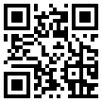
Scan to download